
Discord anti-raid bot
Join waves, compromised staff, scam links: AshBots detects the attack, isolates or sanctions the accounts, and gets the server back in shape. All of it is configured on Discord or on the web dashboard.
- Free
- In French
- Configurable on Discord and on the web
- 349 commands
What AshBots does
The same settings on Discord and on the web, and image cards for welcome, levels and leaderboards.
Anti-raid
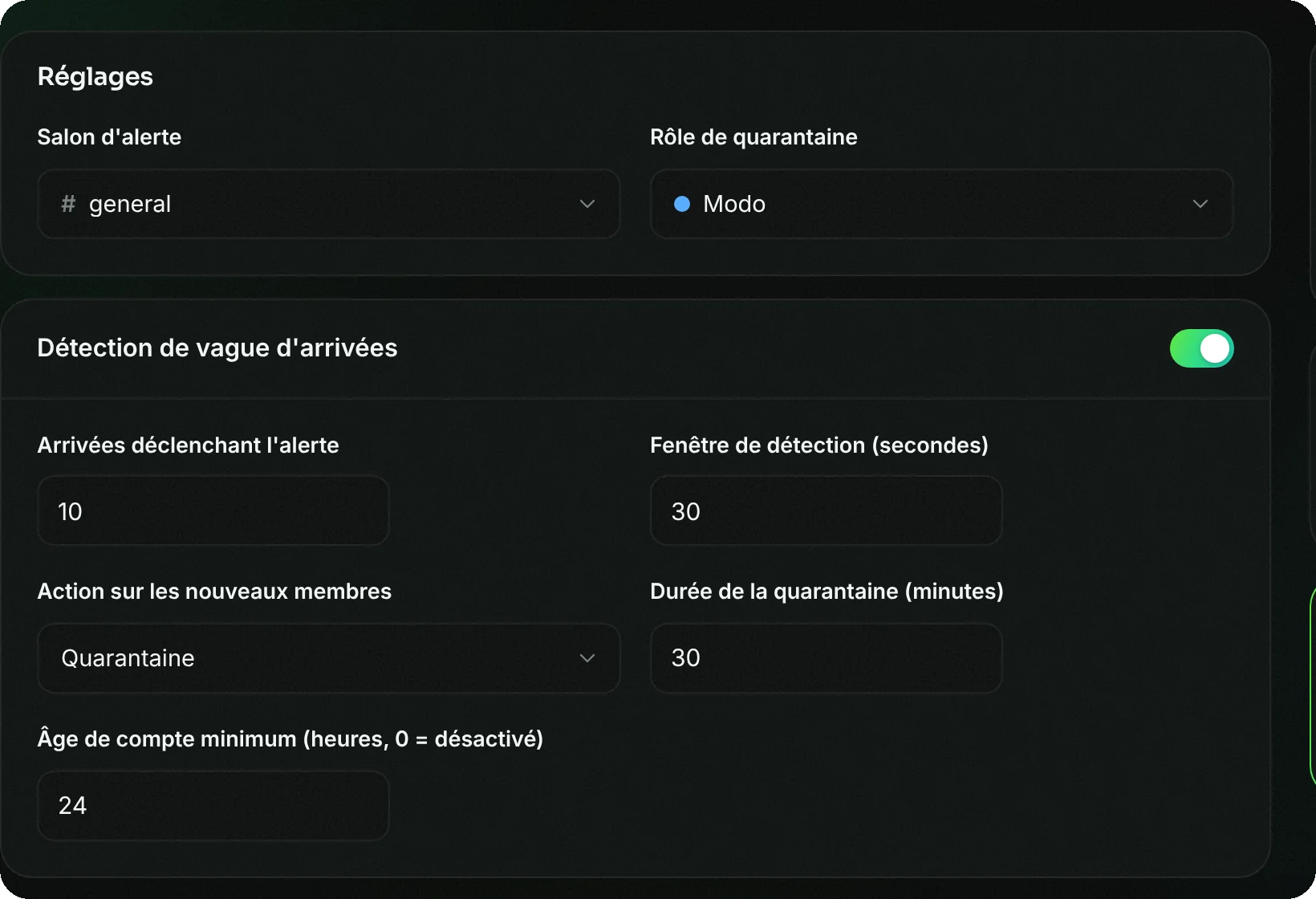
Detects a wave of joins (8 in 10 seconds by default), puts the server in raid mode for 10 minutes and applies the chosen sanction to newcomers: quarantine, kick or ban.
Anti-nuke
Watches for dangerous actions by a staff member or a compromised bot: channel and role deletions, mass bans, webhooks, adding an unauthorised bot.
AutoMod
Filters every message: scam links, invites, mass mentions, flood, repeated messages. Each filter has its own sanction.
Captcha on join
A quick test to prove you're human before accessing the channels.
Honeypot channel
A channel where nobody should write: anyone who posts in it is sanctioned right away. Effective against automated accounts.
Server backup
After an attack, a backup recreates the deleted roles and channels, with their permissions.
Setup in 4 steps
From Discord with the commands below, or from the web dashboard with the same settings.
Add AshBots
Invite the bot and place its role above the roles it has to manage: it can only act on roles placed below its own.
Open the security centre
/modtools securitebrings all the protections together on one screen, each with its status and a button to open it.Enable anti-raid and anti-nuke
/antiraidand/antinuketurn on with sensible default values. You then adjust the thresholds and the sanction.Make a backup
/backup serveurtakes a snapshot of the roles, channels and permissions. If the server gets nuked, one click recreates what's missing.
All protections are free, with no limit. The free plan keeps 2 manual server backups; Premium adds an automatic backup every day.
Frequently asked questions
How do you protect a Discord server against raids?
With an anti-raid bot that detects mass joins and reacts on its own. On AshBots, /antiraid detects the wave, puts the server in raid mode and sanctions the newcomers. Add a minimum account age and a captcha to block brand-new accounts.
What's the difference between a raid and a nuke?
A raid is a mass arrival of accounts meant to disrupt the server. A nuke is the destruction of the server (channels, roles, bans) by an account with too many permissions. Anti-raid handles the first, anti-nuke the second.
What should you do during a raid?
/panic turns on raid mode manually, /lockdown blocks writing in all channels at once, and /config raidclean kicks or bans recently joined accounts.
Is AshBots' anti-raid free?
Yes. Anti-raid, anti-nuke, AutoMod, captcha and the honeypot channel are included in the free bot.
Go further
The same bot also does
A single bot to invite and configure, instead of one per need.