
Discord leveling bot
Visible progress that makes people want to come back: XP for every message and in voice, image level cards, leaderboards and roles to unlock.
- Free
- In French
- Configurable on Discord and on the web
- 349 commands
What AshBots does
The same settings on Discord and on the web, and image cards for welcome, levels and leaderboards.
XP in text and voice
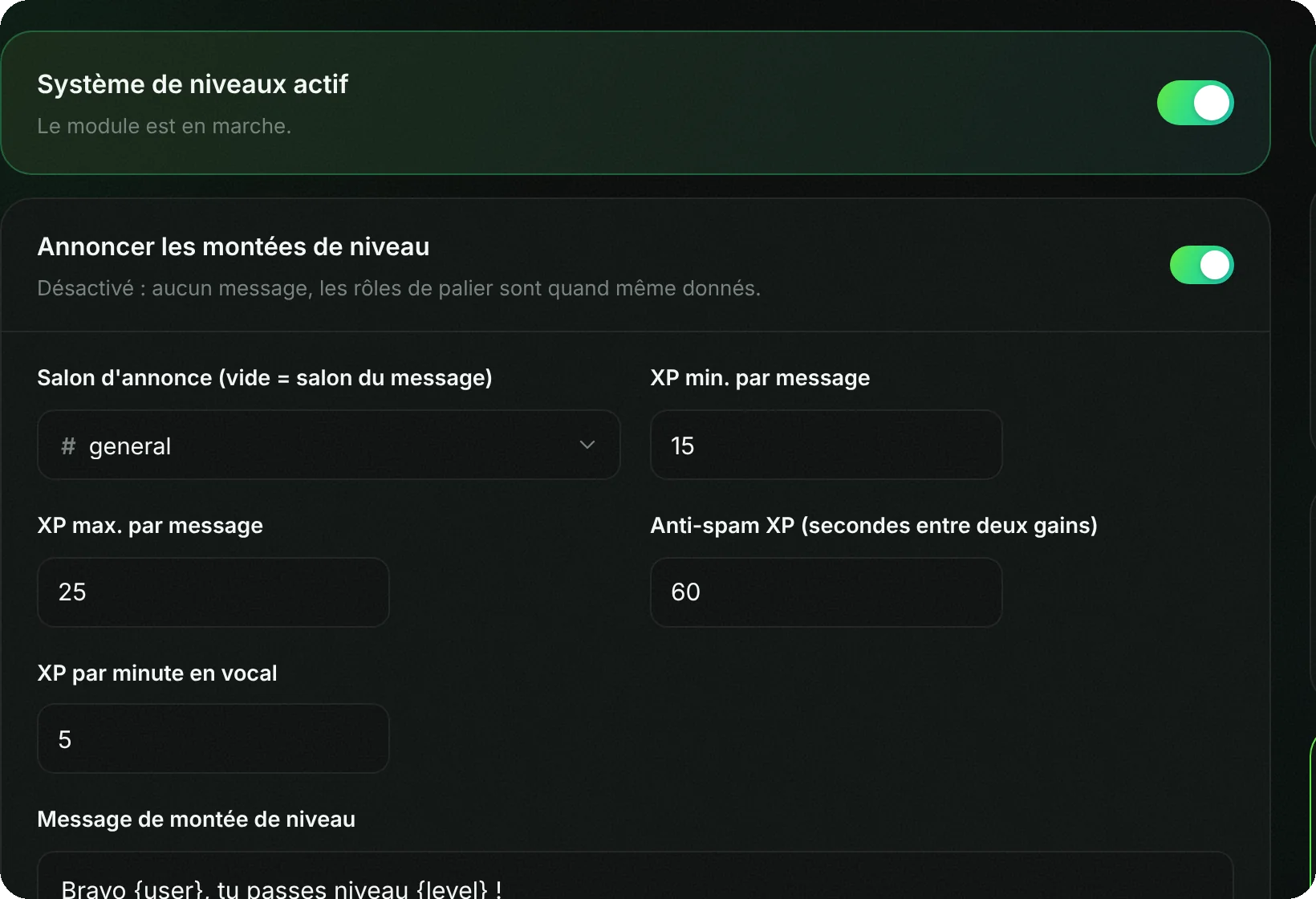
15 to 25 XP per message, once per minute, and 10 XP per minute in voice. Each channel can have its own rate or be excluded.
Level cards
Each member's progress is shown on an image card, and so are the leaderboards.
Level roles
Roles given at certain levels, stacked or exclusive (only the highest one is kept).
Adjustable curve
You choose how much XP each level costs, with two numbers.
Boosts and prestige
A temporary XP boost for the whole server, a permanent multiplier for a role, and prestige to start over with a bonus.
Old messages
The bot can count messages already posted so nobody has to start from zero.
Setup in 4 steps
From Discord with the commands below, or from the web dashboard with the same settings.
Add AshBots
Invite the bot to your server.
Enable levels
/leveling onstarts the system./leveling panneauopens all the settings.Add level roles
In the panel, choose a role and the level at which it is given. Repeat for each level.
Choose the announcement channel
Level-ups are announced in the channel of your choice, with a customizable message.
Levels, cards, leaderboards and level roles are free, with no limit.
Frequently asked questions
How do you set up a leveling system on Discord?
With a leveling bot. On AshBots, /leveling on enables it: members earn XP by chatting and in voice, and level up.
How do you give a role at a certain level?
In /leveling panneau, add a level role: it is given automatically when the member reaches the level.
Does voice give XP?
Yes, 10 XP per minute by default. The AFK channel never gives XP.
How do you check your level?
/level shows a member's level card, and /infotools xp shows what they still need for the next level.
Go further
The same bot also does
A single bot to invite and configure, instead of one per need.