
Discord ticket bot
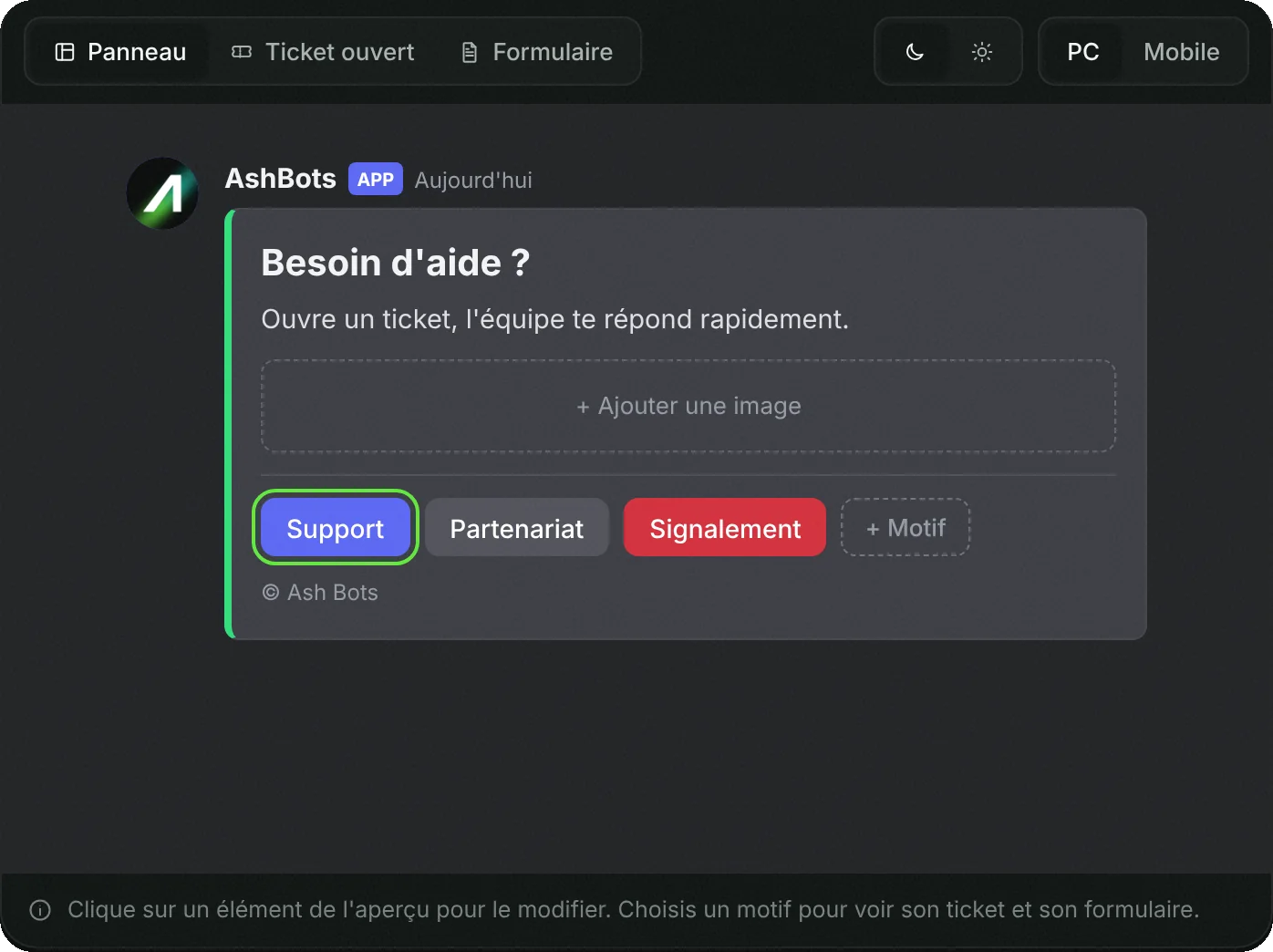
A panel with buttons: each member opens a private channel with the staff, with the right reason and the right information from the start. The panel is designed on the dashboard, with a live Discord preview.
- Free
- In French
- Configurable on Discord and on the web
- 349 commands
What AshBots does
The same settings on Discord and on the web, and image cards for welcome, levels and leaderboards.
Button or menu panels
Several reasons per panel, each with its own category, access roles and opening message.
Forms
Questions asked before opening, so staff have the information without asking again.
Claim
A staff member claims the ticket, gives it a priority, assigns it to a colleague or adds internal notes.
Transcripts
The conversation is kept in a file, sent on close.
Opening rules
Cooldown between two tickets, maximum number per member, minimum account age, opening hours, closing after inactivity.
Satisfaction rating
The member rates the support from 1 to 5 on close, and staff get their statistics.
Setup in 4 steps
From Discord with the commands below, or from the web dashboard with the same settings.
Add AshBots
Invite the bot to your server. No prior configuration is required.
Create the panel
/ticketopens the configuration panel: choose the channel, the reasons, the category where tickets open and the staff roles.Add a form
For each reason, you can ask a few questions before opening (in-game nickname, order number, description of the problem).
Polish the look
On the dashboard, the Tickets tool sets the title, text, image, color and buttons, with a preview of the message as it will appear on Discord.
The free plan includes 1 ticket panel, with as many reasons as you want. Premium makes panels unlimited.
Frequently asked questions
How do you set up a ticket system on Discord?
With a ticket bot. On AshBots, /ticket creates a button panel: each click opens a private channel between the member and staff. You choose the reasons, the category and the roles that have access.
Is the ticket bot free?
Yes. A full ticket panel is included in the free bot, with forms and transcripts.
Can you keep a record of tickets?
Yes, a transcript of the conversation is created on close, and /tickettools ticketstats gives the staff statistics.
Can you prevent abuse?
Yes: cooldown between two tickets, maximum open tickets per member, minimum account age, and a list of blocked members.
Go further
The same bot also does
A single bot to invite and configure, instead of one per need.